50 Components Course: SceneSpawner
Table of contents
Demo & Sources
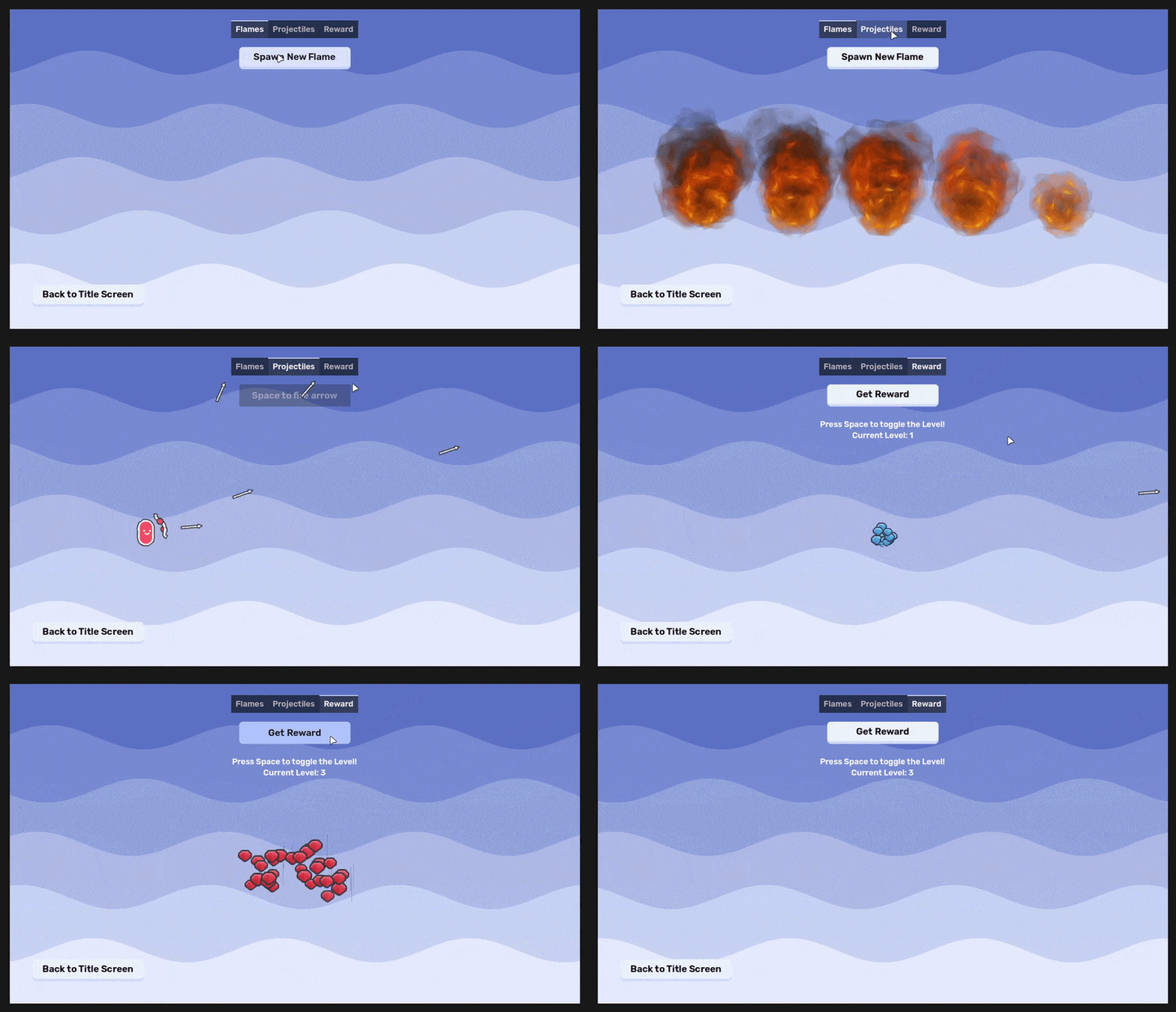
You can try it yourself live here.
The source code is available on GitHub:
Design
What is the best way to design a component? It can be a bit tricky to understand it at first, but here's a checklist:
- rule #1: it only does ONE thing!
- rule #2: it is generic, so you can use it for any game.
- rule #3: it has as little dependencies as possible.
- rule #4: it can be used from the outside, by its owner.
Enforcing rule #1 makes sure you do not overscope your components.
Rule #2 makes sure you can reuse your components, in- and outside your current game project. Compare a Sprite2D node and an RPG talent tree and skill system. Sprite2D does one thing, displays an image. You can use that for any 2D game to display images. The RPG talent tree and skill system is not a component because it is highly specific to RPG games.
Rule #3 helps keeping your components flexible. Fewer dependencies mean that the component can be used in different contexts. Too many dependencies often suggest a too specific use-case.
Rule #4 establishes a standard communication line in your component-based games. There are 3 main ways of communication.
- A component can notify the outside world of an event happening with a signal (outside world is almost always the owner)
- The owner of the component can use the components functionality through its public method(s).
- The owner of the component can affect the behaviour of a component through changing its properties.
To make the process of designing a component easier, ask these three questions.
What is the ONE thing this component does?
Spawns a PackedScene to the current SceneTree. But where?
- As a child of the SceneSpawner component's parent (default behaviour),
- or as a child of any custom node,
- or even at the top level of the current Scene!
What DATA the component needs to do its thing?
- A PackedScene to spawn, (PackedScene resource, a .tscn file)
- a parent Node to the new instance.
Note: the parent Node is optional as it defaults to the SceneSpawner component's parent.
How does it communicate with the outside world?
It provides two public methods with the following signatures:
func instantiate() -> Node:
    pass
instantiate() does not add the new instance to the SceneTree, just instantiates it, and returns it from the method. This is useful when you want to execute code before it will be added to SceneTree (and its _ready() is called).
func spawn(parent: Node = get_parent()) -> Node:
    pass
spawn() instantiates AND adds the new instance to the SceneTree before returning it. This should be used in the majority of cases.
Implementation
@tool
@icon("scene_spawner.svg")
class_name SceneSpawner
extends Node
The component shows node configuration warnings when the there is no PackedScene selected. For this, the script needs to run inside the editor, hence the @tool annotation.
Then, a custom icon is provided which makes the component feel like it is part of the Godot eco system when you add it to the SceneTree.
Finally, a custom class_name is set and the class is extended from the base Node class.
You can read more about node configuration warnings here, and about the @icon annotation here.
@export var scene: PackedScene:
	set(new_scene):
		scene = new_scene
		update_configuration_warnings()
An export variable is defined for the PackedScene resource.
The custom setter function calls update_configuration_warnings() after setting the new value, so the editor can check if the correct node type was set for the variable.
@export var spawn_top_level: bool = false
@export var match_transform_top_level: bool = false
Then, two boolean export variables are defined for spawning top level.
If top_level_spawn is true, the new instance will be spawned independently from all the other nodes.
match_transform_top_level is only used for top level spawning: if true, the new instance will copy the transform (position and rotation) of the parent node, despite being spawned independently from it. This is useful e.g. for spawning bullets: you want it to spawn from a muzzle point, but you want it to move independently from the character.
func _get_configuration_warnings() -> PackedStringArray:
	if not scene or not scene is PackedScene:
		return ["No valid scene assigned to the SceneSpawner!"]
	else:
		return []
Next, the built-in _get_configuration_warnings() method is overrode. There are two cases to handle:
- if the scene export variable is null or not a PackedScene, a reminder warning is displayed,
- when the correct export variable is set no warnings are displayed.
func instantiate() -> Node:
	if not scene:
		return null

	return scene.instantiate()
instantiate() is the easier public method to define. It starts with a safety check: if the scene export variable is not set, return null. Otherwise, call PackedScene.instantiate() and return that new instance.
func spawn(parent: Node = get_parent()) -> Node:
	var new_node := instantiate()
	var spawn_source := parent

	if spawn_top_level:
		parent = get_tree().current_scene

	parent.add_child(new_node)

	if match_transform_top_level and spawn_top_level:
		if "global_position" in spawn_source and "global_position" in new_node:
			new_node.global_position = spawn_source.global_position
		if "global_rotation" in spawn_source and "global_rotation" in new_node:
			new_node.global_rotation = spawn_source.global_rotation

	return new_node
The final part is the spawn() public method definition. Notice how the parent parameter is optional, and it defaults to Node.get_parent().
First, the PackedScene is instantiated, and the new instance reference is stored in a variable. Then, a copy of the parent parameter node reference is created and stored as spawn_source. We need that later for top level spawning.
Then, if spawn_top_level is true, the parent is set to the current_scene, ignoring any other nodes in the current SceneTree. (see Node.get_tree() and SceneTree.current_scene)
When the parent is decided, we add the new instance as a child with Node.add_child().
Then comes the trickiest part: if both match_transform_top_level and spawn_top_level are true, we need to copy the transform of the node that we originally wanted to use as a parent. This is why we made a copy of it (spawn_source variable) before overwriting it to be the current scene!
Copying the transform means setting the new instance's global_position and global_rotation to the same values. However, safeguards are needed here: we need to make sure that both the spawn_source and the new_instance have global_position and global_rotation properties available to avoid any errors.
Why?
To make sure that the SceneSpawner is as versatile as possible. You can spawn Nodes, Node2Ds, Node3Ds and Control nodes with it. Not all of them have global position and global rotation values, so we make sure that it is foolproof.
Finally, we return the new instance after adding it to the SceneTree.
Example Use Case
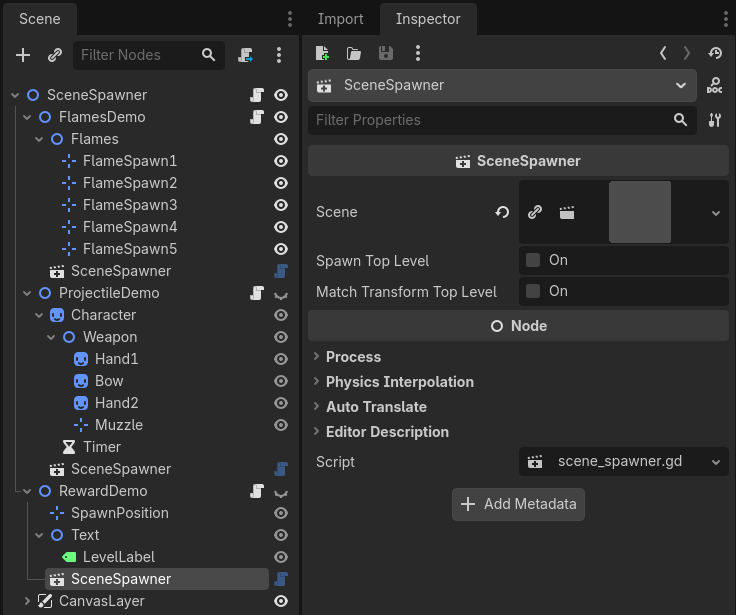
Take a look at this Scene setup:
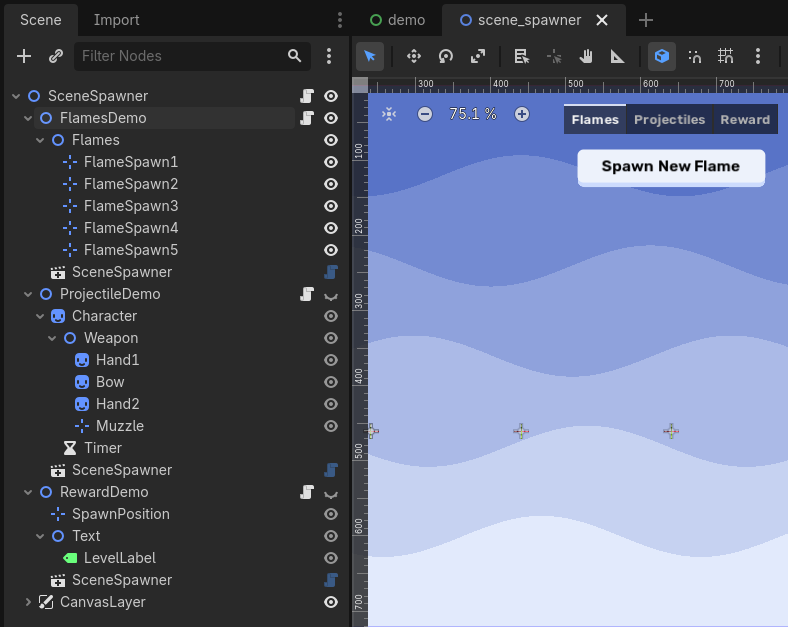
Three SceneSpawners are added to the three example Scenes, with the following setup:
First, the flames are spawned under their corresponding Marker2Ds, so we only need to set the PackedScene:
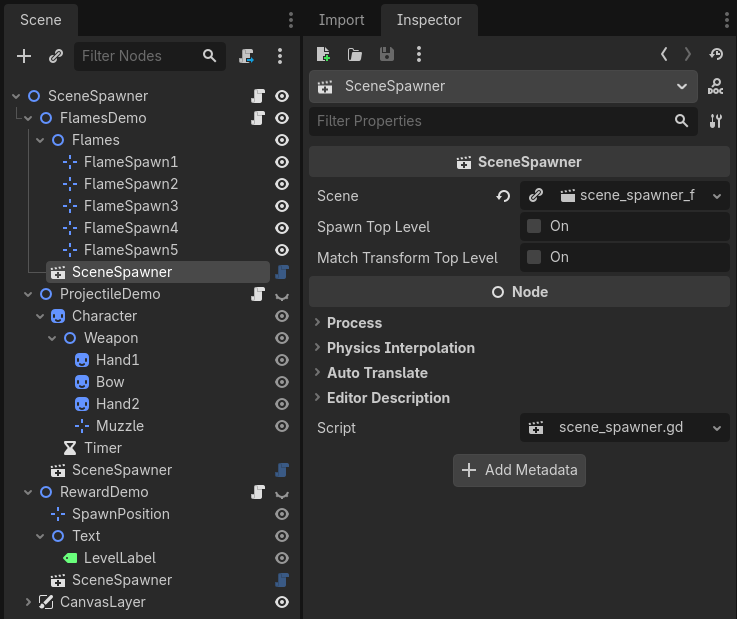
Then, we can use the spawner in code like so. Notice that only one line of code is needed which is very convenient.
extends Node2D

@onready var flame_parents := [
	$Flames/FlameSpawn1,
	$Flames/FlameSpawn2,
	$Flames/FlameSpawn3,
	$Flames/FlameSpawn4,
	$Flames/FlameSpawn5
]
var flames := 0


func _ready() -> void:
	%Button.pressed.connect(
		func() -> void:
			if not visible:
				return

			if flames == 5:
				flames = 0
				for flame_parent: Node in flame_parents:
					flame_parent.get_child(0).queue_free()

			$SceneSpawner.spawn(flame_parents[flames])
			flames += 1
	)
For the projectile demo, we need a different setup. Projectiles should be spawned from the muzzle's current transform, but they need to move independently from the player character. We toggle both boolean export variables to true:
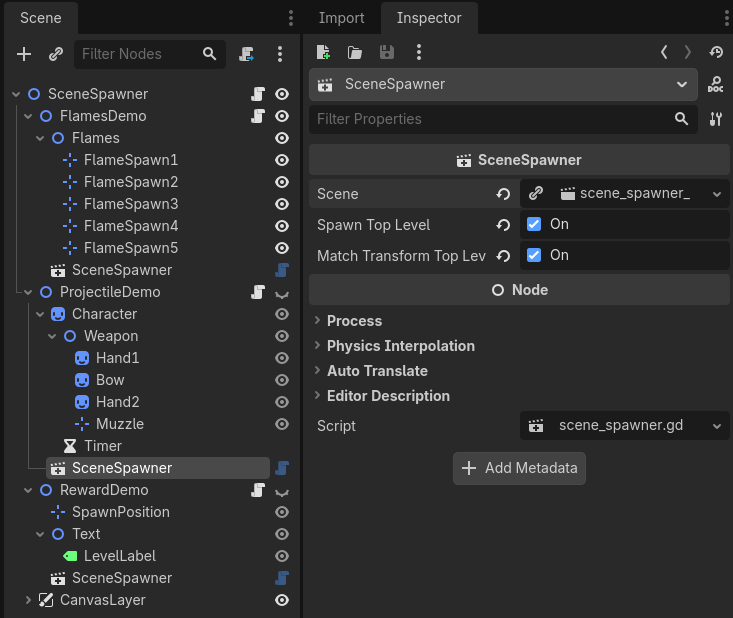
In code, we call the spawn() method on the spawner when the fire action is pressed. We set the parent argument to the Muzzle. Since the spawner is configured to spawn the new instance top level, the parent will be ignored. However, because match_transform_top_level is true, the Muzzle's transform will be copied to the new instance.
extends Node2D

@export var char_speed := 300
@export var dir := 1


func _ready() -> void:
	$Character/Timer.timeout.connect(func(): dir *= -1)


func _input(event: InputEvent) -> void:
	if not visible:
		return

	if event.is_action_pressed("fire"):
		$SceneSpawner.spawn($Character/Weapon/Muzzle)
	if event is InputEventMouseMotion:
		$Character/Weapon.look_at(get_global_mouse_position())


func _process(delta: float) -> void:
	$Character.position += dir * Vector2.RIGHT * char_speed * delta
Note: try out this demo with match_transform_top_level set to false, to truly see the difference it makes.
Finally, we use the SceneSpawner for instantiating only in the reward demo. The component setup is simple:
In the code, we need to adjust the logic because the reward scene uses different properties for the particles, based on its level property. Here's the code for the PackedScene itself:
extends GPUParticles2D

const LVL1 := preload("res://demo/components/scene_spawner/scene_spawner_reward_particle1.tres")
const LVL2 := preload("res://demo/components/scene_spawner/scene_spawner_reward_particle2.tres")
const LVL3 := preload("res://demo/components/scene_spawner/scene_spawner_reward_particle3.tres")

@export var level := 1


func _ready() -> void:
	amount = level * 10 + 10

	match level:
		1:
			texture.region.position = Vector2(896, 320)
			process_material = LVL1
		2:
			texture.region.position = Vector2(896, 192)
			process_material = LVL2
		3:
			texture.region.position = Vector2(896, 128)
			process_material = LVL3

	emitting = true
	finished.connect(queue_free)
Notice how it does all its setup in the _ready() virtual method. We cannot use spawn() here because by the time it returns the new instance, it will be added to SceneTree already, so we miss the opportunity to set the level property beforehand.
What we do instead is we use SceneSpawner.instantiate(), set the level property, and then finally add the new instance manually to the SceneTree with add_child():
extends Node2D

var level := 1


func _ready() -> void:
	%Button.pressed.connect(
		func() -> void:
			if not visible:
				return

			var reward: Node = $SceneSpawner.instantiate()
			reward.level = level
			$SpawnPosition.add_child(reward)
	)


func _input(event: InputEvent) -> void:
	if event.is_action_pressed("fire"):
		level = wrapi(level + 1, 1, 4)
		$Text/LevelLabel.text = "Press Space to toggle the Level!\nCurrent Level: %s" % level
That wraps up the SceneSpawner component! :)